IntelliWarp QlikView to Qlik Cloud migration

Know what moves, before it moves.

IntelliWarp reads your QlikView documents, prices the move and converts them to Qlik Cloud: sheets, objects, load scripts and data. Discover, estimate, migrate.

IntelliWarp Migrate: the Migration Manager with jobs, tasks and files
Three steps

Discover, estimate, migrate.

Each step produces something you can read before the next one starts: an inventory, a priced proposal, a migrated app with a per-object report.

Step 1 · IntelliWarp Scan

Discover

Scan opens every QlikView document on your server without its data and writes what it is made of into one small archive: sheets, objects, variables, load scripts, data sources, Section Access.

You run it. Nothing leaves your computer until you send the archive.
Step 2 · IntelliWarp Estimate

Estimate

Your partner, or we, price the move from the inventory: what converts as it is, what needs a hand, what the migration costs, document by document.

A written proposal before any license is bought.

Step 3 · IntelliWarp Migrate

Migrate

Migrate converts each document and deploys it to your Qlik Cloud tenant: spaces, apps, sheets, objects, variables, the load script with its data files, Section Access and the master items Qlik Answers needs.

Runs on your QlikView server, against your tenant, under your license.

The products

Two downloads. One path.

IntelliWarp Scan reading a folder of QlikView documents
IntelliWarp Scan

Reads what your QlikView documents are made of into one small archive. Passwords in load scripts are masked on your computer, data never leaves it, and the archive is a plain zip you can open before you send it.

IntelliWarp Migrate: a migrated sheet in Qlik Cloud
IntelliWarp Migrate

Converts and deploys to Qlik Cloud, document by document: Section Access converted with an approved identity mapping, sheets fitted to the Qlik Sense grid, every object reported, apps seeded for Qlik Answers.

Before and after

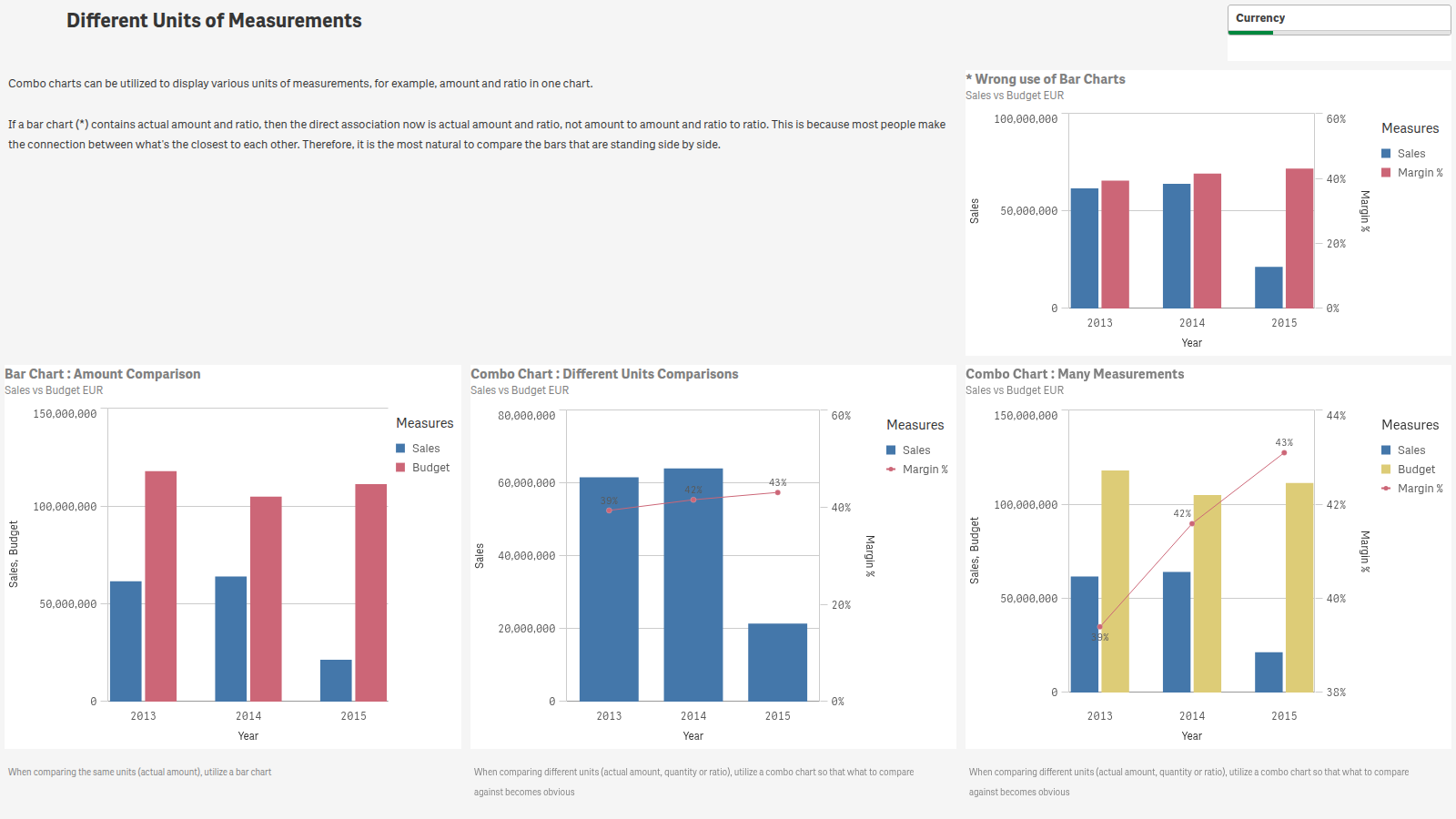
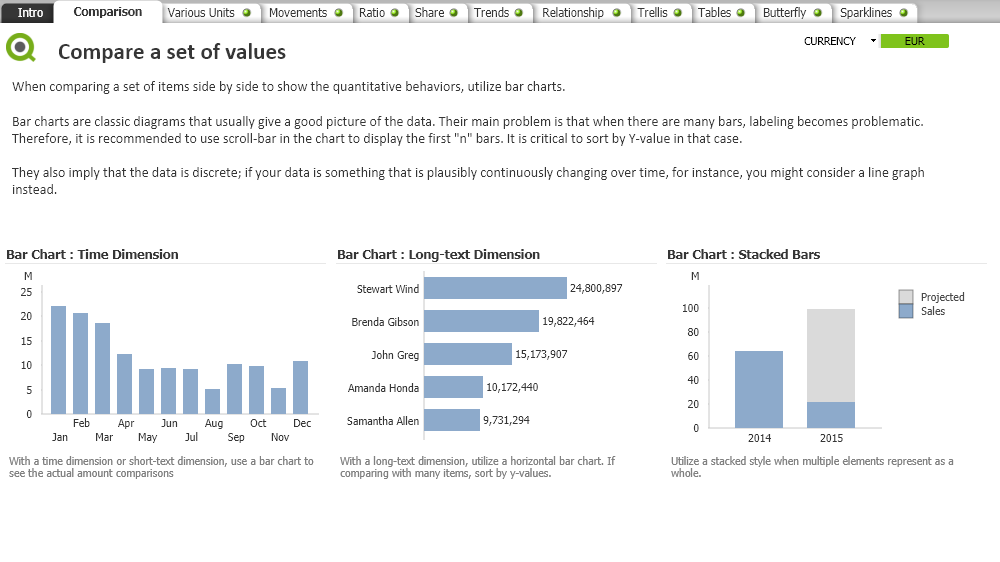
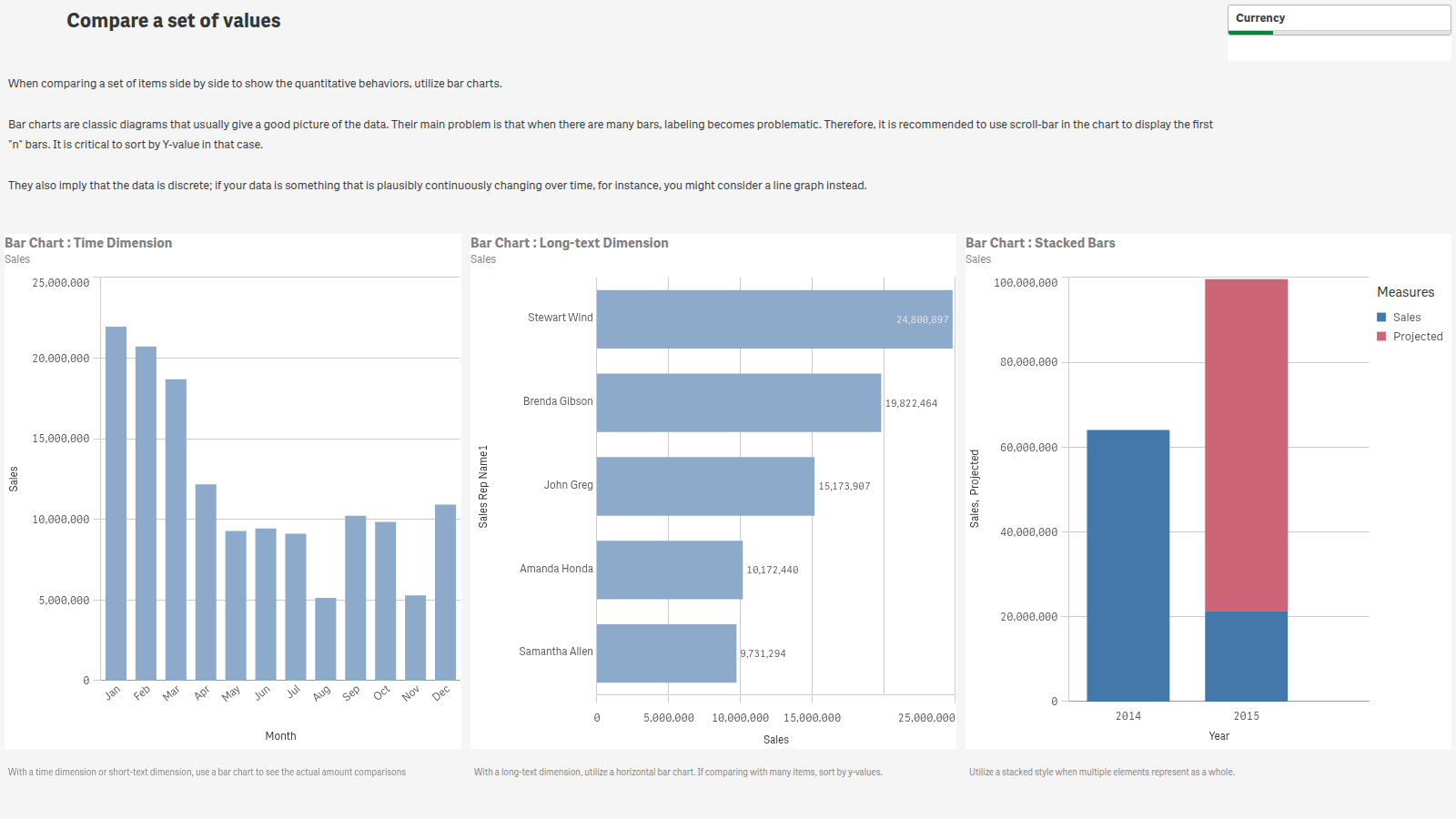
The same sheet, in QlikView and in Qlik Cloud.

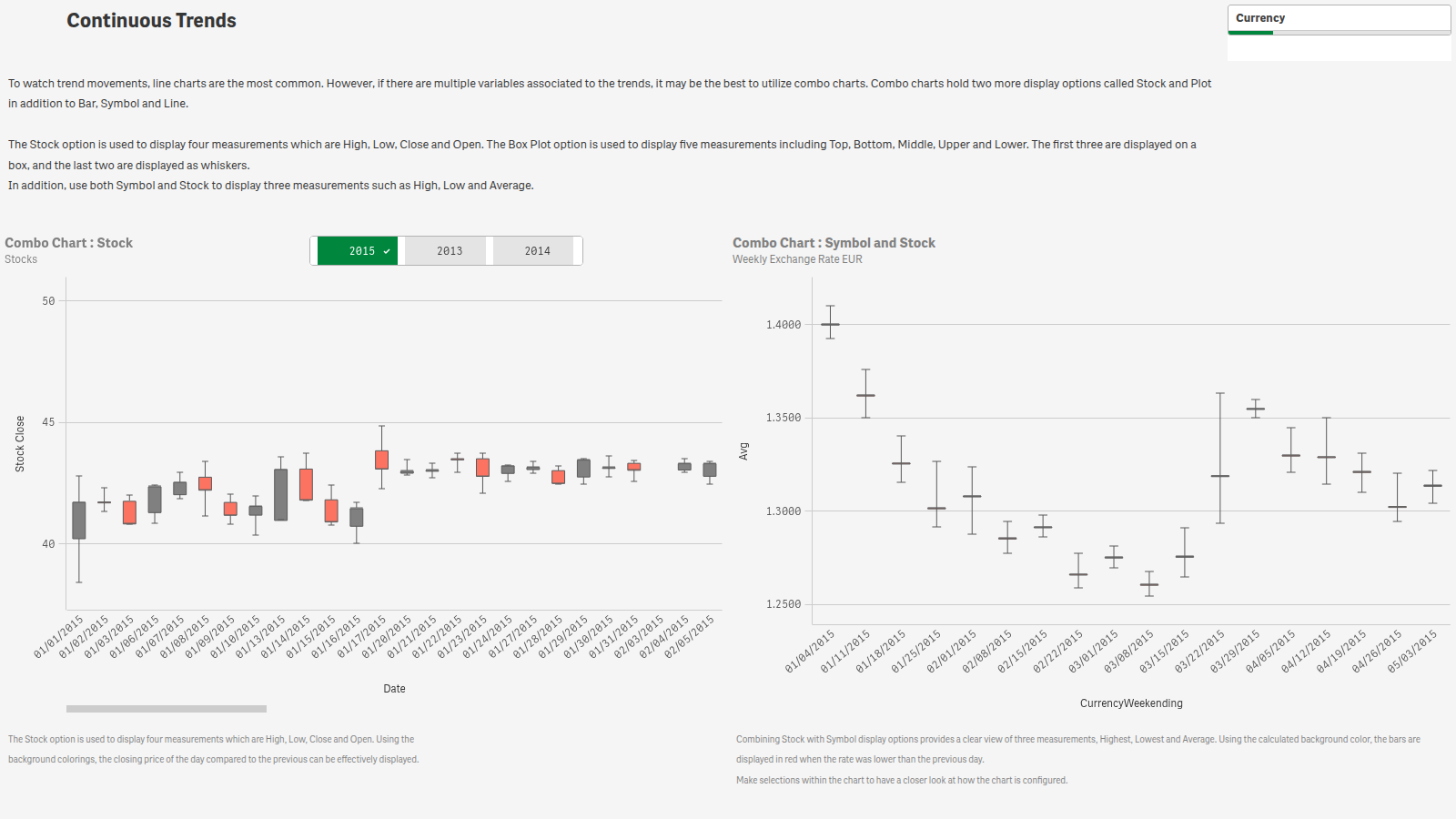
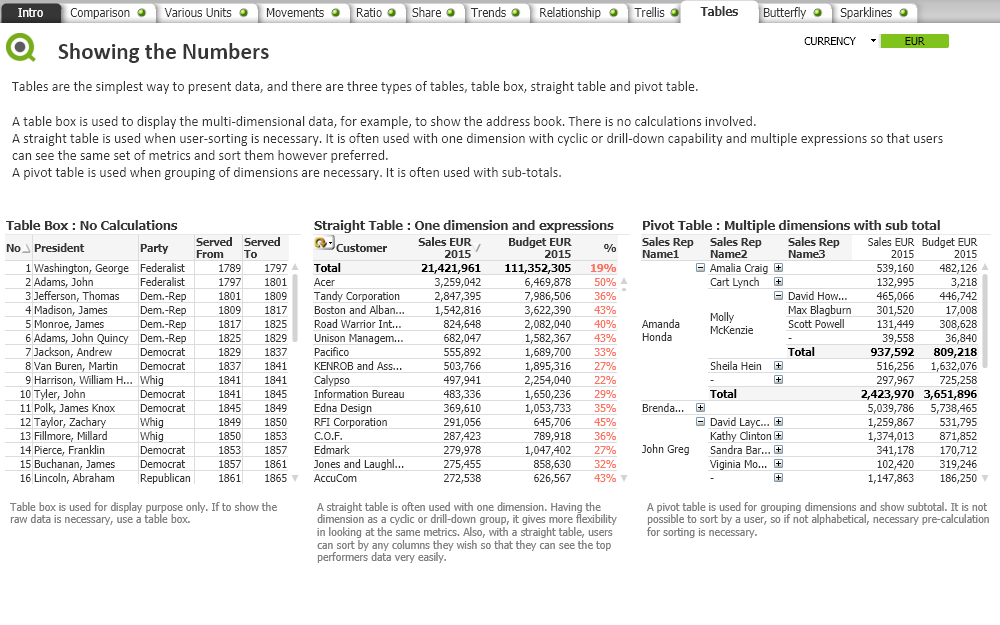
Migrate keeps the designer's intent, not QlikView's pixels: objects become their Qlik Sense counterparts, list boxes become filter panes, layouts are fitted to the responsive grid, and the QlikView look is carried as a Qlik Sense theme.

QlikView · Data Visualization
The Data Visualization document in QlikView Desktop
Qlik Cloud · migrated by IntelliWarp
The same Data Visualization sheet in Qlik Cloud after migration
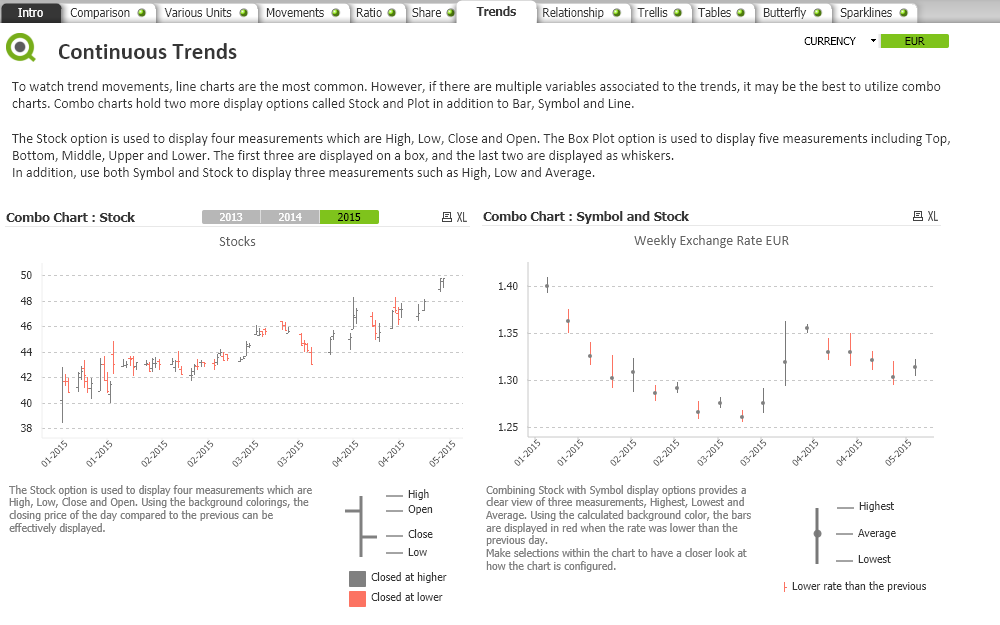
QlikView · Data Visualization, Trends (stock charts)
The Trends sheet of the Data Visualization document in QlikView Desktop, with two stock charts
Qlik Cloud · stock charts as candlestick box plots
The same Trends sheet in Qlik Cloud, the QlikView stock charts drawn as box plots
What stays intact

Built for the parts that usually break.

Section Access

Never removed. The table is converted with an identity mapping you approve, checked against your tenant before deployment, and audited per document.

Load scripts and data

Folder connections, wildcards and include files resolved on your server; data files uploaded to the space; paths rewritten to lib:// connections; database connections listed for you to create.

Layouts

As-Is keeps the QlikView arrangement; Optimized fits the sheet to the Qlik Sense grid with readable minimums; a Sheet Designer for the sheets you want by hand.

Qlik Answers

Master dimensions and measures named the way your designers labeled them, technical fields hidden, so Answers gives the insights people expect from day one.

Variables and theme

Variables deployed through the Engine API; the document's colors and fonts carried as a Qlik Sense theme per document.

A report per object

Every object reads full, partial or skipped in the report, with the reason, and a checklist of what still needs a person after the migration.

Nothing leaves until you say so.

Scan writes metadata only: no data rows, no extracted tables. Passwords in load scripts are replaced with *** on your computer. Migrate runs on your own server and talks only to your Qlik Cloud tenant and our license service.

  • The Scan archive is a plain zip; read it before you send it.
  • Uploads go over HTTPS to encrypted storage, purged after import.
  • The license check sends a host name and hashed file references, never a document.
  • Your tenant is reached with an API key you create and can revoke.

Deliver migrations with IntelliWarp.

Qlik partners price with IntelliWarp Estimate, deliver with Migrate, and earn on every move. One program, one agreement.